
Tickets › Tickets › Roneous › How to format Contact Form 7 layout like demo? › Reply To: How to format Contact Form 7 layout like demo?
June 14, 2019 at 8:01 am
#8021
 Danny
Supporter
Hi there,
Thanks for writing in!
Yes, we’re working on it to enable the search feature. Thanks for your suggestion!
To resolve the contact form issue, please follow the steps here:
1. Go to Tools > Import.
2. Click on WordPress then Choose file and locate within the Roneous package you unzipped: SampleData/roneous-contact.xml. Click Upload and Import.
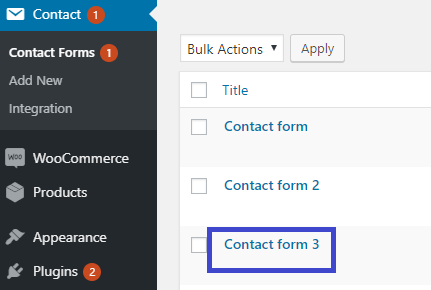
3. Go to Dashboard > Contact to see all the contact forms available in Roneous live demos.
And you can find the code Contact Form 3 that using in “Personal Profile” demo:
Hope this helps,
Danny